
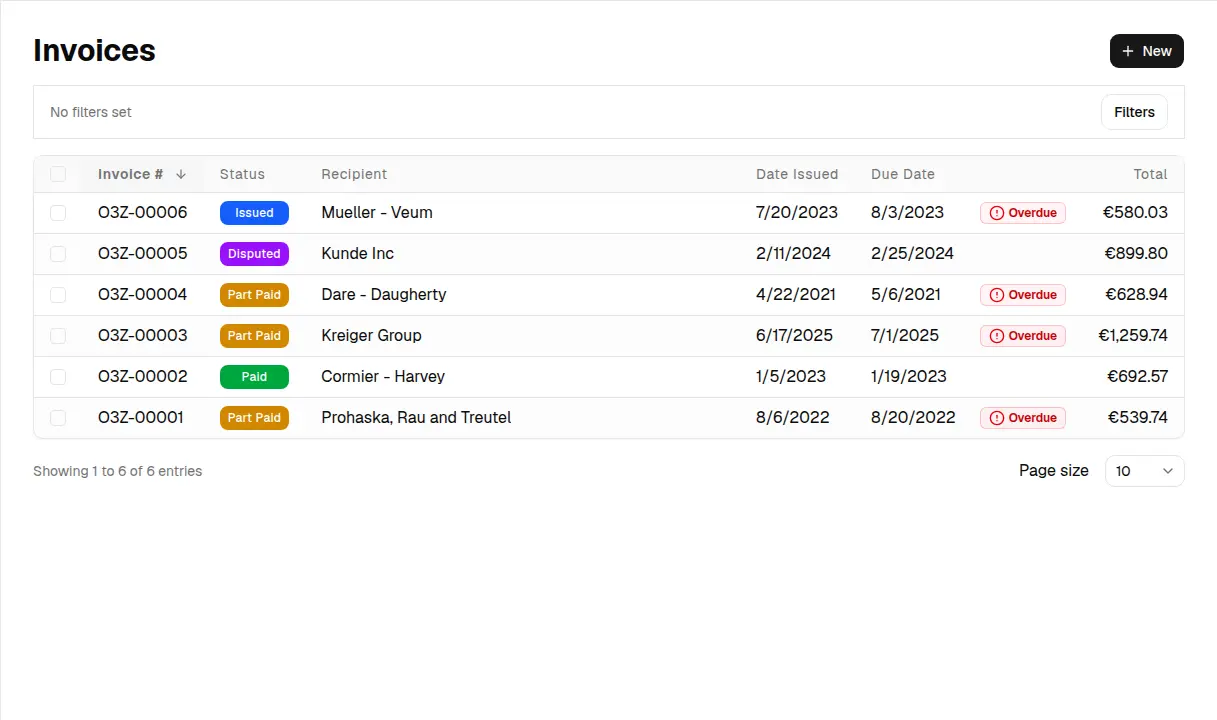
Invoice Master began with a narrow goal: make it less painful for a small business to turn completed work into a clear invoice. The product is broader now, but the same test still matters. Can you prepare the document, deliver it, collect the money, and keep the supporting records together without building your own system in a spreadsheet?
This is a product overview, not a promise that one application replaces an accountant, bank, tax adviser, or full ERP.
The document workflow
Invoices and quotes share the practical fields a service business usually needs: sender and recipient details, dates, currency, line items, tax, custom fields, notes, and links to contacts, companies, or projects. An organization can select from five PDF layouts, add its logo, set default labels and footers, and customize invoice and quote email copy.
Quotes have a simple status path—draft, sent, accepted, rejected, or expired. Portal users can accept or reject a quote. The quote-to-invoice handoff opens a new invoice form with the parties, project, currency, and line items prefilled. It is intentionally a draft handoff: notes, attachments, and every other quote field do not silently become invoice data.
Invoices can be downloaded as PDFs, selected in bulk for a ZIP download, or shared through a public access link. Premium adds email delivery from Invoice Master, up to three attachments per document, and removes the Invoice Master watermark from PDFs.
Getting paid and following up
Premium organizations can connect Stripe and create a hosted payment link for an invoice. The available payment methods depend on the connected Stripe account, its settings, the currency, and regional availability. When Stripe reports a successful payment, Invoice Master records it and recalculates the invoice status. Refunds and chargebacks made later in Stripe still need a matching manual entry in Invoice Master.
Late-payment work has two levels. The dashboard flags invoices that are past due, while Premium collections tools add an accounts-receivable queue and staged dunning emails. A policy can schedule an owner notice or a customer reminder a chosen number of days after the due date. It does not invent a late fee or decide whether a debt is legally enforceable.
Recurring invoice schedules store the parties, line items, cadence, next issue date, and payment terms. Leave automatic delivery off to generate a draft for review, or enable it with Premium and set a recipient email to issue and email each generated invoice. Premium can also create a Stripe payment link automatically when Stripe is connected and automatic payment links are enabled in organization settings. The customer still completes payment; recurring schedules do not charge a saved card or bank account.
The records around an invoice
Billing rarely starts on the invoice screen. Invoice Master also includes:
- contacts, companies, leads, deals, and CRM activities;
- projects that group quotes, invoices, bills, notes, and financial results;
- time entries that can be selected and turned into line items on a new invoice draft;
- supplier bills that feed expense and profit views;
- boards with custom columns, task priority, due dates, assignees, and recurring task rules;
- products, inventory locations, stock-on-hand, and an explicit movement history; and
- a dashboard for invoice, quote, income, expense, and profit signals, plus Premium reports.
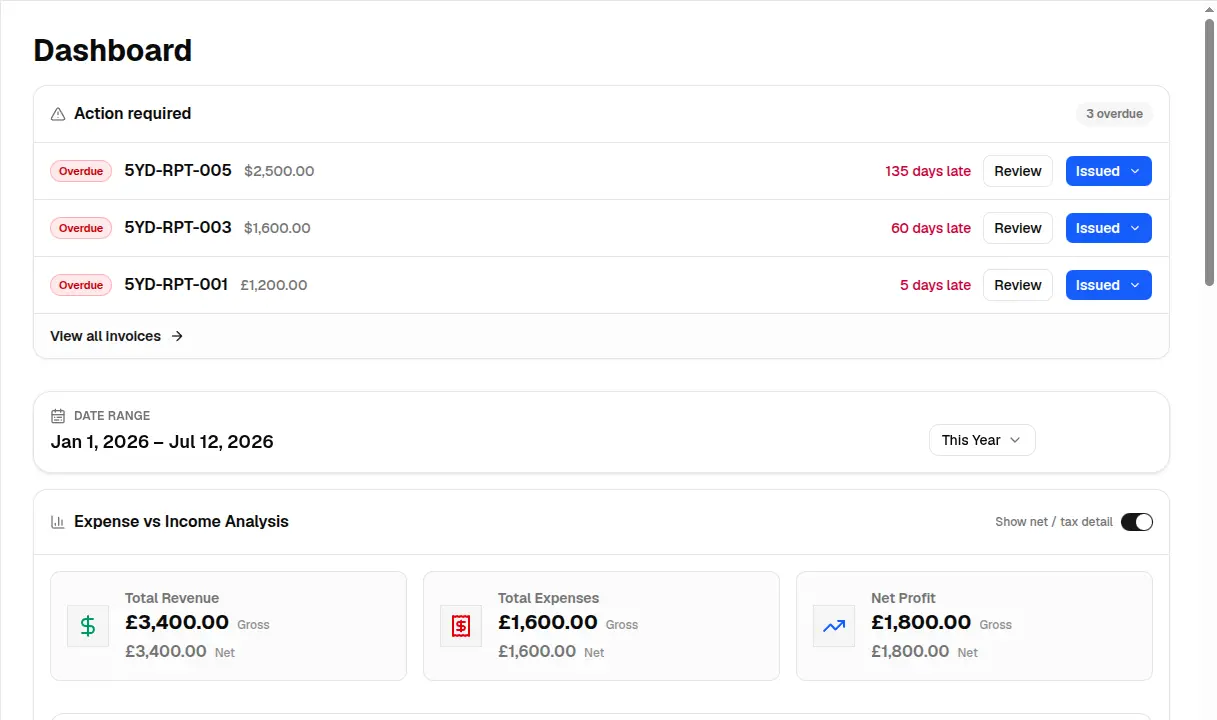
Seeded demo workspace, captured July 12, 2026. Values illustrate the interface; they are not customer results.
These records are connected where the implementation supports it, not by inference. Moving a task card does not create an invoice. Adding a product to an invoice does not deduct stock. Recording a bill does not upload or scan a receipt. Those boundaries are important when comparing Invoice Master with project-management, warehouse, or bookkeeping suites.
Basic and Premium are different workflows
The Basic plan is useful for evaluating the core system and for very low-volume work. Its implemented limits include five invoices, five quotes, and five bills per month; ten contacts and ten products; one project; 40 hours of time entries per month; one inventory location and three inventory movements per month; and capped CRM and task records.
Premium removes those usage limits and unlocks the features that involve delivery, collection, or deeper analysis: document email, Stripe payment links, attachments, scheduled dunning, reports, teammate and portal invitations, and watermark-free PDFs. Current pricing belongs on the pricing page, where it can be updated without making an old article misleading.
What Invoice Master is not
Invoice Master does not calculate exchange rates, translate the text you type, determine the correct tax treatment, submit structured e-invoices to government networks, reconcile a bank account, or sync directly with QuickBooks or Xero. It is also not an e-signature platform or a general-purpose file repository.
That candor is useful. If you need a focused system for documents, payment collection, billing records, and adjacent small-business workflows, the product is worth testing. If a regulated accounting ledger, automatic stock depletion, or country-specific e-invoice transmission is mandatory, those requirements should lead your evaluation from the start.
A sensible way to evaluate it
Use one real client and one real job. Create a quote, convert it to an invoice draft, download the PDF, record a test payment, link a bill to the project, and export the organization archive. If you use Stripe, test its hosted checkout in test mode. This exposes the actual handoffs and limits much faster than a feature list can.
The best invoicing tool is not the one with the longest checklist. It is the one whose boundaries match the way you really bill.