
Independent and creative work
For client projects, retainers, and one-person businesses that need the admin to stay lighter than the work.

Invoicing software for service businesses
Create invoices, turn quotes into payments, and keep clients, expenses, and projects organized in one place.
No credit card required.
One connected workflow
Invoice Master keeps the client and line-item details moving forward, so billing feels like one process instead of four disconnected tools.
Working with international clients? Create invoices in the currency agreed with your client.
Explore the full workflowBuild a clear quote from saved clients, products, and services instead of starting from a blank document.
Send a public quote link so the scope, price, and next step are easy for your client to review.
Convert accepted work without re-entering the client or rebuilding the line items.
Track invoice status, add online payment links on Premium, and keep overdue work visible.
Inside the product
Move between real quote, invoice, and reporting screens. The interface stays practical because the important work is status, totals, dates, and what happens next.
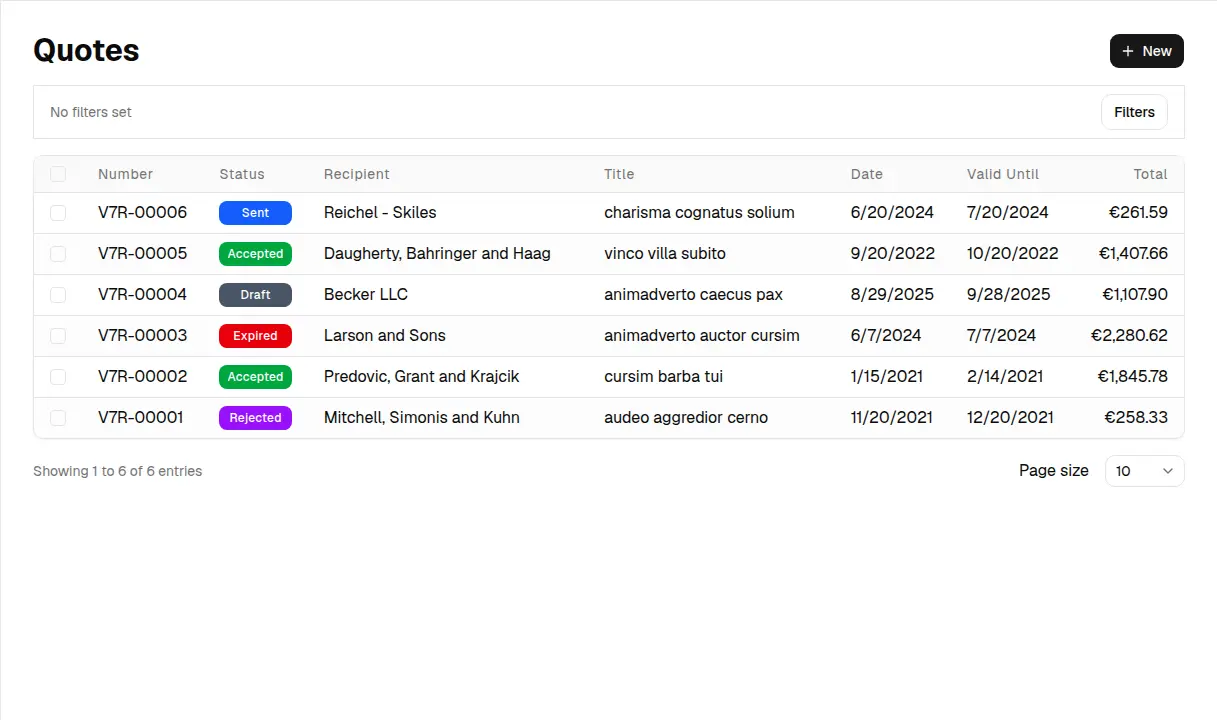
Built around service work
The workflow changes with the work. Start with the guide closest to your business and see the parts that matter in practice.
Browse every business typeFor client projects, retainers, and one-person businesses that need the admin to stay lighter than the work.
For repeat visits, emergency jobs, and service work where the quote and invoice need to follow the job.
For labor, materials, project billing, and supporting records that need to stay clear from estimate to payment.
Choose a starting point
Free covers a working billing setup within starter limits. Premium adds unlimited core records, payment links, and automation when those limits begin costing you time.
Starter limits
Everything needed to establish a reliable billing workflow within starter limits.
Unlimited + automation
Unlimited core records plus payments and automation for businesses that invoice regularly.
Before you decide
Yes. You can start with a free account and upgrade to premium whenever you need higher limits and advanced features.
Premium removes the disclosed Free-plan limits for billing, CRM, projects, tasks, inventory, time tracking, and organizations. It also includes document email, attachments, payment links, payment notifications, payment-follow-up controls, and no watermarks.
Yes. Free includes up to 10 leads, 10 deals, and 25 CRM activities. Premium removes those limits and adds advanced billing workflows.
Make the next invoice easier
Create a free account, send the first document, and add Premium only when your workflow needs more room.