
Jobs with quotes, invoices, and bills
Use it when all billing and supplier cost records for a project need to stay connected.
Prepare the work
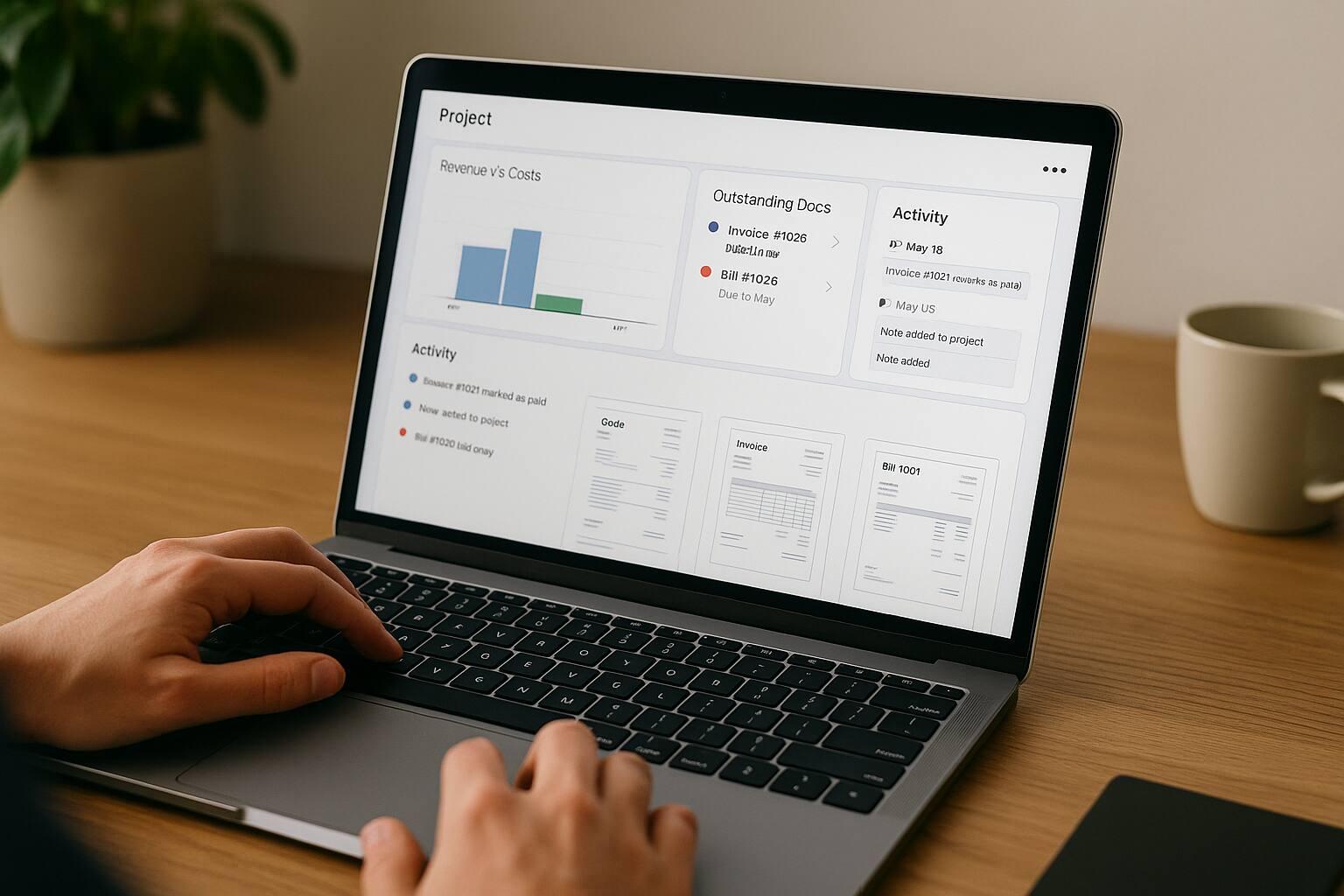
Use each project as a billing and document hub: link quotes, invoices, bills, time entries, and notes, then review the financial activity recorded for the job.
Projects and billing
Give each job a stable billing context, then connect the documents, time, costs, and financial records that actually belong to it.
For the hour-to-invoice handoff, review time tracking and invoicing for billable hours.
Set up a project with a name, code, description, status, start date, end date, and Markdown notes so related billing work has one identifiable context.
Select the project while creating an invoice, quote, or bill, or link an existing document from the project page. Each document keeps its own status and workflow.
Move between the project overview, notes, invoices, expenses, and quotes without reconstructing the job from separate document lists.
Use the overview to compare paid-invoice income, outstanding issued or partially paid invoices, linked bills, tax detail, and net-profit trend from Invoice Master records.
When a project-linked quote is converted into an invoice, the invoice draft keeps the project context along with the quote recipient, currency, and line items.
Filter time entries by project, build invoice line items from selected hours, and keep the invoice draft linked when all selected entries belong to the same project.
Use projects for document and financial context, not for budgets, milestones, dependencies, files, comments, resource capacity, detailed job costing, or task-to-invoice automation.
Good fit
Use it when all billing and supplier cost records for a project need to stay connected.
Use it when collected income, outstanding invoices, expenses, and profit trend need one project-level view.
Use it when project-linked documents, time, and financial context matter more than milestones, dependencies, resource planning, or detailed job costing.
Project billing workflow
Create the project context, attach the commercial records, prepare reviewable invoice drafts, and interpret the resulting financial view from the linked documents.
Add the project name, code, dates, status, description, and notes so the job has a stable reference for billing and expense context.
Create documents from the project page, choose the project in a document form, or link existing records through the invoice, expense, and quote tabs.
Convert a project-linked quote or select project time entries to open an invoice draft with the supported project, customer, currency, and line-item context prefilled.
Check the recipient, project, dates, purchase order, currency, line items, tax, notes, and total. Project links and selected time create context, not an automatic final invoice.
Compare income, outstanding invoice amounts, bills, and the profit trend derived from linked records, then reconcile costs that live outside Invoice Master separately.
Keep exploring
Connect Project-Based Invoicing with the next useful part of your workflow.
Record supplier bills and business expenses with line items, tax, due dates, project links, and cash-flow reporting for clearer cost visibility.
Track billable hours in daily timesheets, review time by date or project, and turn selected entries into an invoice draft with the rate and detail you choose.
Create quotes and estimates with line items, tax, validity dates, custom fields, public links, attachments, email delivery, and invoice conversion.
Project invoicing details
It connects work context with customer billing. In Invoice Master, a project groups quotes, invoices, bills, time entries, and notes and summarizes financial activity from those linked records. It is a billing-focused project hub, not a full project-planning suite.
Yes. Existing invoices can be linked from the project page, and invoices can also be created with a project selected from the invoice form.
Yes. Project pages include separate tabs for invoices, expenses, and quotes, so project billing and supplier costs stay connected.
Yes. When a project-linked quote is converted into an invoice, the generated invoice draft keeps the project context.
Yes. Time billing can filter entries by project and create invoice drafts from selected hours. The project link is kept when all selected entries belong to the same project.
Project pages show an income vs expense overview based on linked invoices and bills, including collected income, outstanding invoice amounts, expenses, tax detail, and profit trend. Treat it as an operational view of Invoice Master records, not an audited profitability statement.
No. Project records do not provide project budgets, milestones, task dependencies, resource capacity, general file storage, project comments, formal change orders, purchase commitments, or detailed job costing.
No. Changing a project status or moving a task does not create an invoice. Quote conversion and time billing open editable invoice drafts that must be reviewed and saved through the invoice workflow.
No. It uses linked Invoice Master invoices and bills. Payroll, overhead, processor fees, depreciation, exchange-rate effects, unrecorded subcontractor costs, and other external records may be absent.
Projects can be marked as planned, active, completed, on hold, or cancelled.
Ready when you are
Set up the workflow in your account and keep the work connected from the first record to the final payment.